
Kia Cee'd: Interior features / Cargo security screen (wagon)
Kia Cee'd JD Owners Manual / Features of your vehicle / Interior features / Cargo security screen (wagon)
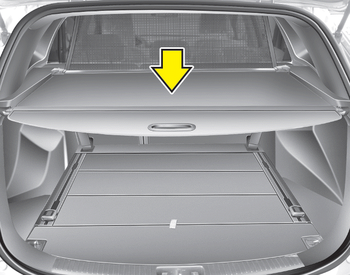
Use the cargo security screen to hide items stored in the cargo area.
 To remove the barrier net
1. Loosen the straps by using the strap
adjusters and remove the strap hooks
from the hook holders.
2. Remove the net upper shaft by pulling
it through the large holes.
3. Remove the barrier n ...
 To use the cargo security screen
1. Pull the cargo security screen towards
the rear of the vehicle by the handle
(1).
2. Insert the guide pin into the guide (2).
✽ NOTICE
Pull out the cargo security screen with
the handl ...
Other information:
: Garage Door Opener Radio Frequencies
FCC and RSS-210 Industry Canada Compliance
WARNING: Changes or
modifications not expressively approved
by the party responsible for compliance
could void the user's authority to operate
the equipment. The term "IC:" before the
radio certification number only signifies
that Industry Canada tech ...
Kia Cee'd JD Service Manual: Console Armrest Components and components location
Component Location
1. Console armrest
...
© 2017-2026 www.kceed.com
